Sell on Instagram and get paid, without endless DMs
Set up your Instagram profile to sell, post content that leads to sales, turn DMs into payments and use one link so people can buy without waiting for you.
If you want to sell on Instagram, you're in a good place: people go there to look at things. A good photo or Reel can make someone want your product in seconds. But wanting isn't buying. Between "how much?" in the comments and money in your account, a lot of sales get lost.
This guide shows you how to sell on Instagram from start to finish: setting up your profile, posting content that makes people buy, handling DMs without burning out, and getting paid quickly and safely. It works for digital products, services and physical goods.
Why selling on Instagram loses buyers
Most Instagram sellers lose buyers at the same points:
- "Price in DM." Many people won't send a message just to ask a price. They scroll on.
- Slow replies. By the time you answer, the buyer has cooled off or found someone else.
- Awkward payment. Account numbers, wrong amounts, "I've sent it" with no money.
- No trust. A page with few posts and no reviews makes people nervous to pay.
Fix those four, and the same number of followers brings more sales.
Step 1: Set up your profile to sell
Your profile is your shop window. A visitor should understand what you sell in three seconds.
- Switch to a professional account (Business or Creator) in Instagram's settings. You get insights, contact buttons and more.
- Use a clear profile photo: your face if you are the brand, your logo if the product is.
- Write a bio that sells: who you help, what you sell, and what to do next. For example: "Logos and brand kits for small shops. 6 years designing. Shop below 👇".
- Add your shop link. One link that opens everything you sell, with prices and a pay button.
- Use Story Highlights for Prices, Reviews, How to order and Delivery, so new visitors find answers without asking.
Your link in bio is your checkout
The link in your bio is the most valuable spot on your profile. Don't waste it on a page that only lists your other social accounts. Send people to a shop where they can buy.
With Klaasi, your shop link looks like klaasi.com/yourname. It shows your products, prices in the visitor's currency and a pay button, and it works on any phone. You can also add your Instagram, TikTok and other pages to your shop profile so buyers can check you're real.
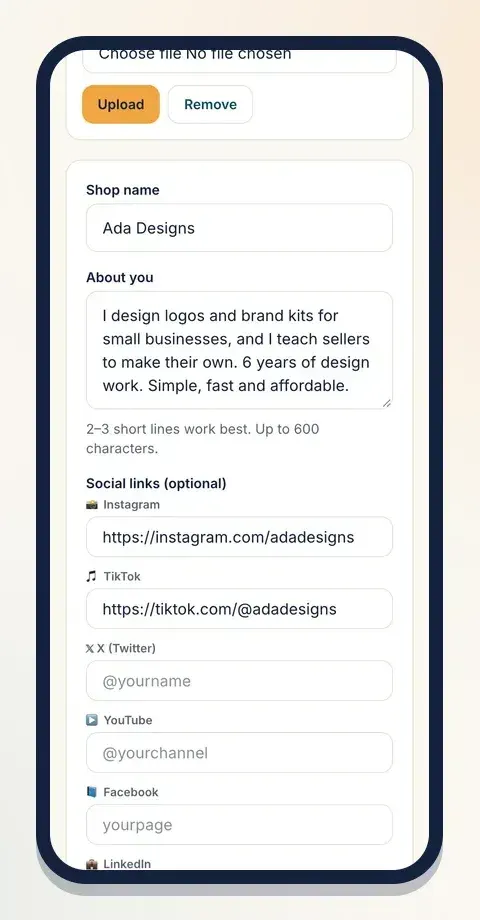
Read the full link in bio store guide to set this up well.
Step 2: Post content that makes people buy
Selling on Instagram isn't about posting "buy now" every day. It's about showing people why they need what you sell, then making it easy to buy.
Mix these types of posts
- Show the product in use. A Reel of someone wearing the dress, using the template or eating the meal sells better than a flat photo.
- Before and after. Perfect for services: a logo before and after, a room before and after, skin before and after.
- Teach something useful. Three quick tips from your course or ebook. People who learn from you trust you.
- Behind the scenes. Packing orders, preparing a class, sketching a design. It shows there's a real person behind the page.
- Proof. Reviews, messages from happy buyers (with their permission) and results.
End every post with a clear next step
Tell people exactly what to do: "Tap the link in my bio to get it", or "Comment GUIDE and I'll send you the link". Don't assume they'll figure it out.
Use Stories every day
Stories are where your warmest followers are. Use polls, question boxes and countdowns before a launch. Add a link sticker straight to the product. Ready-made banners help: on Klaasi, every product has a Banners page with designs sized for a Status or Story, a square post, and a wide post, with your price, link and a QR code already on them, plus a ready caption to copy.
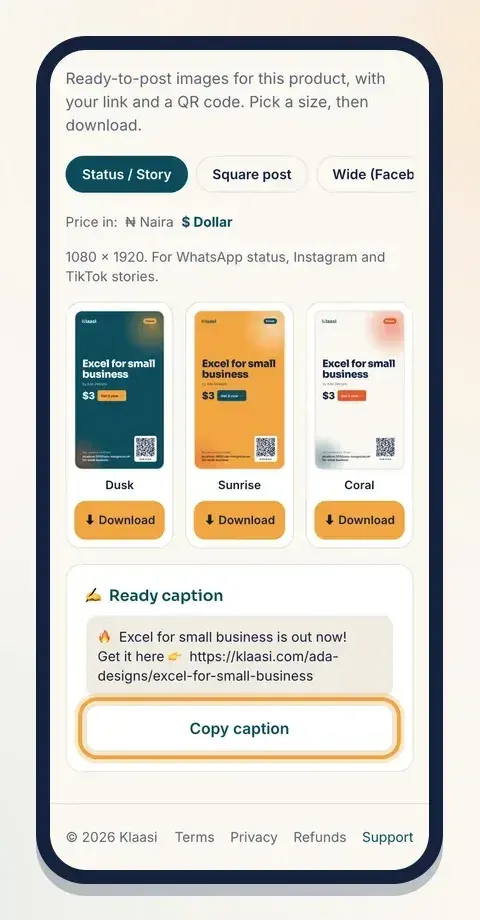
See how to make marketing banners for your product for every size and style.
Step 3: Put your price where people can see it
Hiding prices to "start conversations" usually starts fewer conversations. Most buyers want to know if they can afford it before they talk to you.
Show the price on your product page and, where it makes sense, in your posts. If you sell to more than one country, show the price in a currency people understand. On Klaasi you set one price, in naira or dollars. Buyers in Nigeria see naira and everyone else sees dollars, worked out for you.
Step 4: Turn DMs into payments
DMs will always be part of Instagram selling. The trick is to answer fast and move people to a pay link quickly.
- Save quick replies in Instagram for common questions: price, delivery, sizes, how to pay.
- Answer, then link. "Yes, it comes in black. You can order here: [link]." Every answer should end with the product link.
- Don't let payment depend on you. If the buyer can pay through a link, they can buy at midnight while you sleep.
- Follow up once. If someone asked and didn't buy, a short, friendly reminder the next day is fine.
Get paid without the screenshot stress
Bank transfer screenshots can be edited. Waiting for alerts wastes your time. A checkout link confirms the payment by itself.
On a Klaasi product page, the buyer picks how to pay (card, bank transfer or mobile money, and crypto where it's on), types their email and pays. For digital products they get access straight away. You get a notification and the money goes to your wallet.
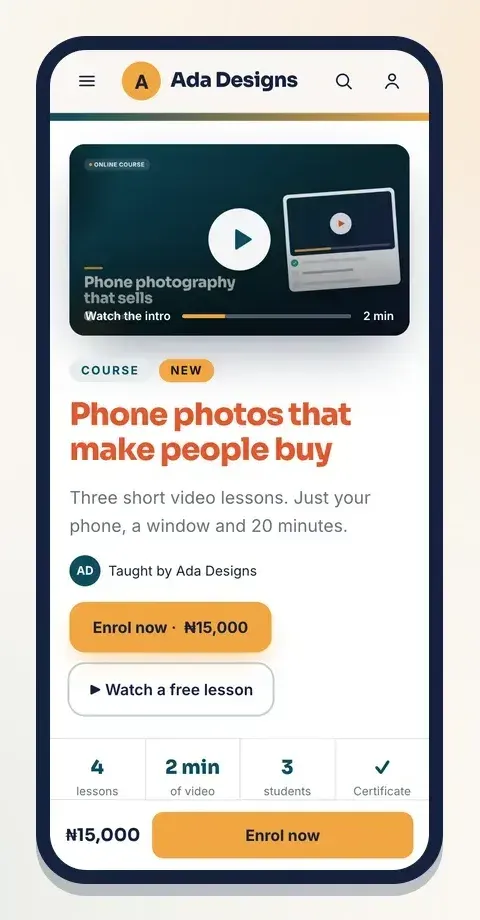
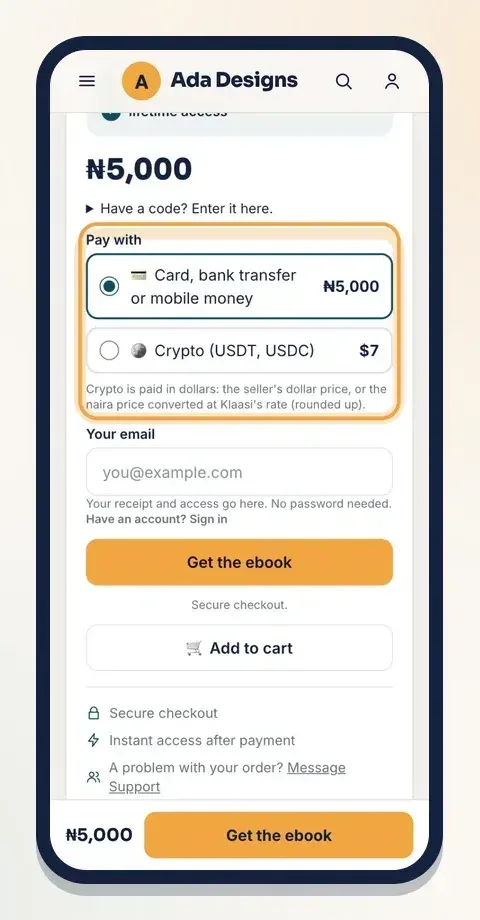
If you'd like to understand the different ways to take money online, read how to accept payments online.
Step 5: Build trust so strangers will pay
People who don't know you need a reason to believe you. Build it on purpose:
- Collect reviews after every sale and share them in Stories and Highlights.
- Show your face or your process. Faceless pages can work, but they need more proof.
- Be clear about delivery: how long it takes and what happens if something goes wrong.
- Use a secure checkout rather than asking strangers to send money to a personal account.
- Be consistent. A page that posts every week looks more alive than one that posted twenty times last year.
Klaasi lets buyers leave reviews once they've really got the product, and shows them on your pages. See how to collect and show reviews on Klaasi.
Step 6: Give people a reason to buy now
Interest fades quickly on social media. Give people a reason to act today:
- Launch prices for the first few days.
- Coupon codes just for your Instagram followers, like INSTA10.
- Limited spots for a class or coaching, when it's true.
- Bonuses for early buyers: an extra template, a short call, free delivery.
Never fake scarcity. If you say "only 5 left" and there are 500, people notice, and they stop trusting you.
Step 7: Measure and improve
Check your Instagram insights every week: which posts got saves, shares and link taps. Then check your shop: how many visitors came, and how many bought. If a post gets lots of likes but no visits, the call to action might be weak. If visits are high but sales are low, look at your price, photos or product page.
Quick checklist
- Professional account, clear photo, a bio that says what you sell.
- One shop link in bio where people can pay.
- Posts that show, teach and prove, each ending with a next step.
- Prices visible.
- Fast DM replies that always end with a pay link.
- Reviews collected and shared.
- A reason to buy now, without fake pressure.
Selling on Instagram gets easier when the buying part doesn't depend on you being online. Create your free Klaasi shop, put the link in your bio, and let people pay while you keep creating.
What to do next
Start selling on Klaasi, free
Your shop, courses, live classes and community in one place. Buyers pay in naira or dollars.
Open my free shopKeep reading
Link in bio store: turn your Instagram, TikTok or X bio into sales
Your bio link is the busiest door to your business. Here's how to turn it from a list of links into a store where followers can buy in a few taps.
Selling digital products on WhatsApp: status, groups and DMs that convert
WhatsApp is where your buyers already are. Here's how to use status, groups and direct messages to sell courses, ebooks and templates without spamming anyone.