How to add an intro video to your product on Klaasi
Show buyers what they'll get before they pay. Upload a short MP4 (up to 5 minutes) or paste a YouTube, Vimeo, TikTok, Instagram or Facebook link, and it appears on your product page.
People buy what they can see. A 1–3 minute video of you showing what's inside your course, flipping through your ebook or explaining what happens on a coaching call answers questions that a page of text can't. It also shows buyers there's a real person behind the product.
On Klaasi, every product can have an intro video. In this guide you'll learn how to add one in two ways (uploading an MP4 or pasting a link from YouTube, Vimeo, TikTok, Instagram or Facebook), how long it can be, and exactly where buyers see it.
What you can use
You have two choices. Pick the one that's easiest for you.
1. Upload an MP4 video
- Up to 5 minutes long and 95 MB in size.
- MP4 only. Phone quality is fine.
- Klaasi reads the real length from the file, so buyers see an exact badge like "48 sec" or "2 min".
- The file counts toward your plan's storage.
2. Paste a link
- YouTube (including YouTube Shorts), Vimeo, TikTok, Instagram (a post or a Reel) or Facebook (a video or a Reel).
- The video must be public.
- There's no length limit on the video itself, but the minutes label you type must be from 1 to 10.
Whichever you choose, Klaasi plays it in that site's own official player (or our own player for uploads), so it looks clean and works on phones.
Best intros are 1–3 minutes. Say who it's for, show what's inside, and end with what to do next ("Tap Enrol now and start today").
Step 1: Open the Intro video box
- Open your dashboard and tap Products.
- On your product, tap Selling tools.
- Scroll down to 🎬 Intro video.
For goods in a store, the same box is on the item's own page in your dashboard.
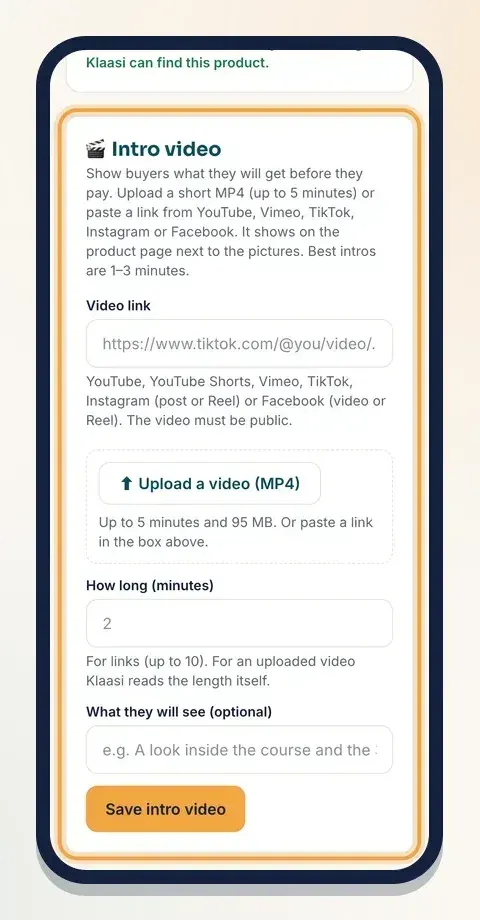
The box has:
- Video link for a link from YouTube, Vimeo, TikTok, Instagram or Facebook.
- Upload a video (MP4) for your own file.
- How long (minutes) for links (Klaasi fills it in by itself for uploads).
- What they will see (optional): one line that appears next to the video.
- Save intro video.
Step 2a: Paste a link
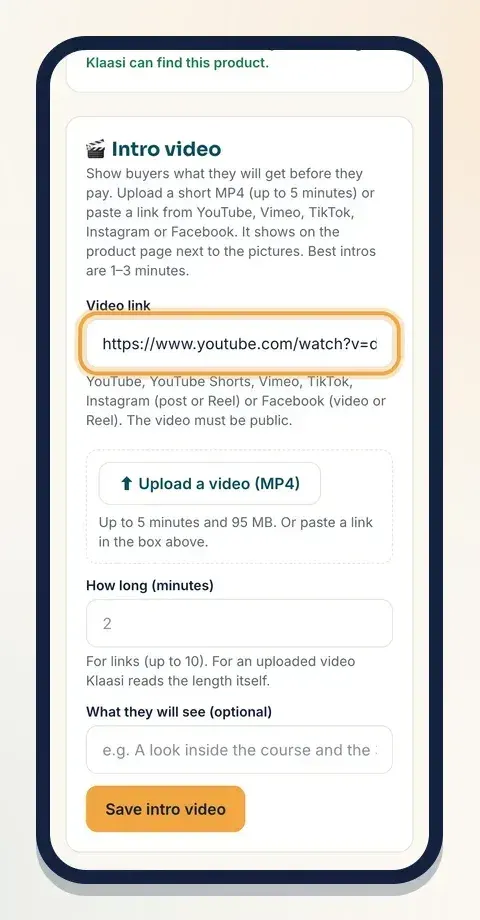
- Open your video on YouTube, Vimeo, TikTok, Instagram or Facebook.
- Tap Share and Copy link.
- Paste it into Video link.
- Type How long (minutes), from 1 to 10.
- Optional: fill in What they will see, for example "A look inside the course and the 3 things you will learn".
- Tap Save intro video.
A note about TikTok short links. Links that start with vm.tiktok.com are short links. Klaasi tries to expand them, but if you see "That is a short TikTok link", open the video in TikTok on a computer (or tap Share → Copy link and open it in your browser) and paste the long link that has /video/ in it.
If Klaasi says "We can't play that link", check that you pasted the link of one public video, not a profile or a playlist.
Step 2b: Upload an MP4
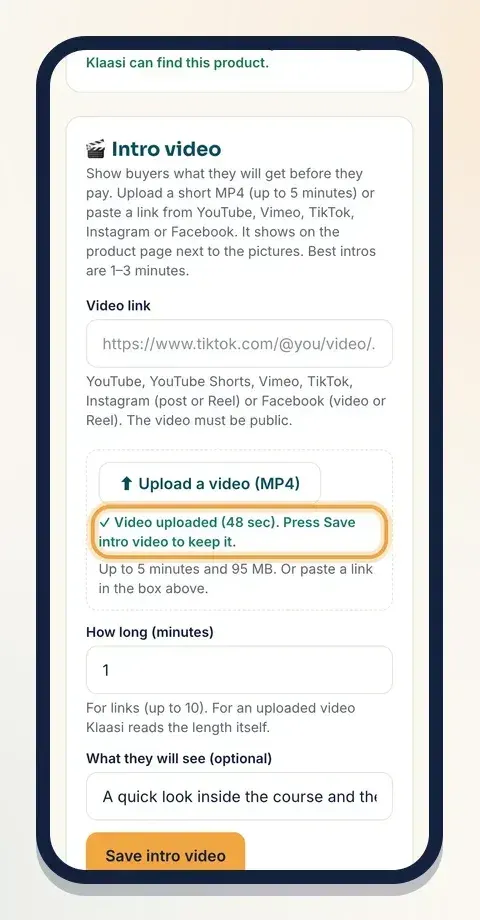
- Tap Upload a video (MP4) and choose the file from your phone or computer.
- Wait for the progress bar. Keep the page open.
- When it's done, you'll see "Video uploaded (48 sec). Press Save intro video to keep it." Klaasi fills How long (minutes) with the real length.
- Optional: fill in What they will see.
- Tap Save intro video.
If something goes wrong, the box tells you why:
- Over 95 MB? Make it shorter or smaller (phone quality is fine), or paste a link instead.
- Longer than 5 minutes? Cut it to under 5 minutes and upload again. Longer files aren't kept.
- Not an MP4? Most phones and editing apps can export MP4. Choose MP4 when you save.
- Storage full? Remove old files or move to a bigger plan.
- Upload stopped? Check your internet and try again.
Step 3: Check it
After saving you'll see "Intro video saved. Buyers see it on the product page now." The video appears right in the box so you can play it and check it.
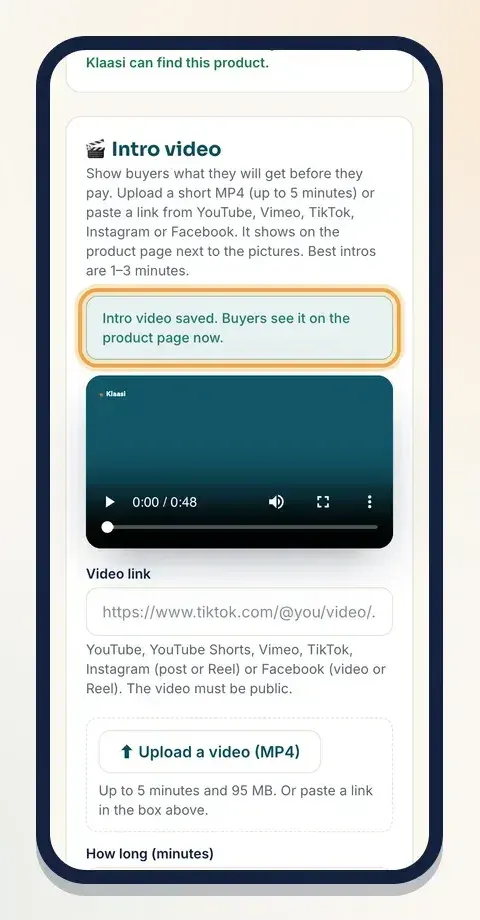
To change it, upload a new file or paste a new link and save again. To take it off, tap Remove video.
Where buyers see your intro video
Your intro shows up in a few places on the product page, on every one of the 6 page designs.
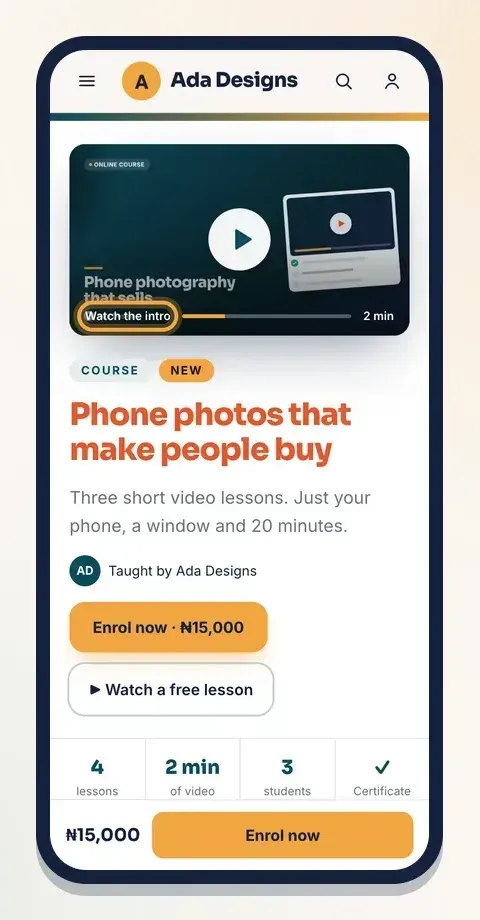
At the top of the page, the main picture gets a Watch the intro button. One tap and the video plays.
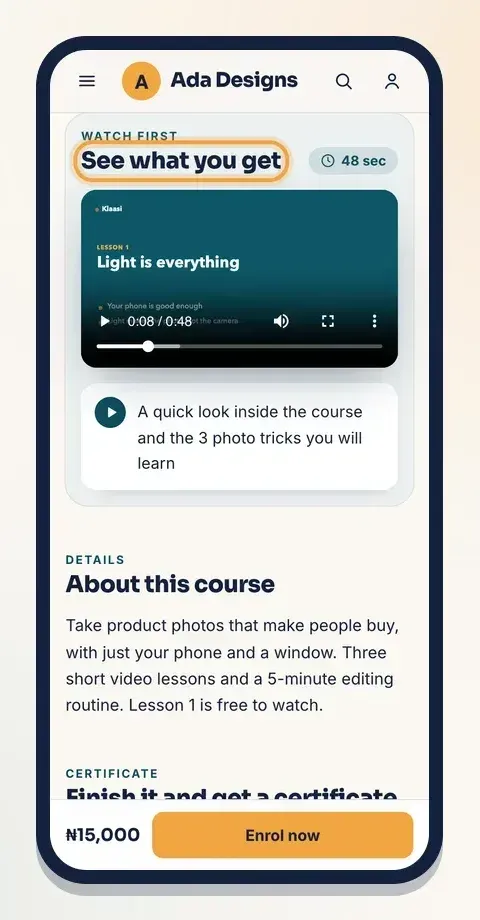
Further down, a card called See what you get (with "Watch first" above it) shows the video, its length badge and the line you wrote in What they will see.
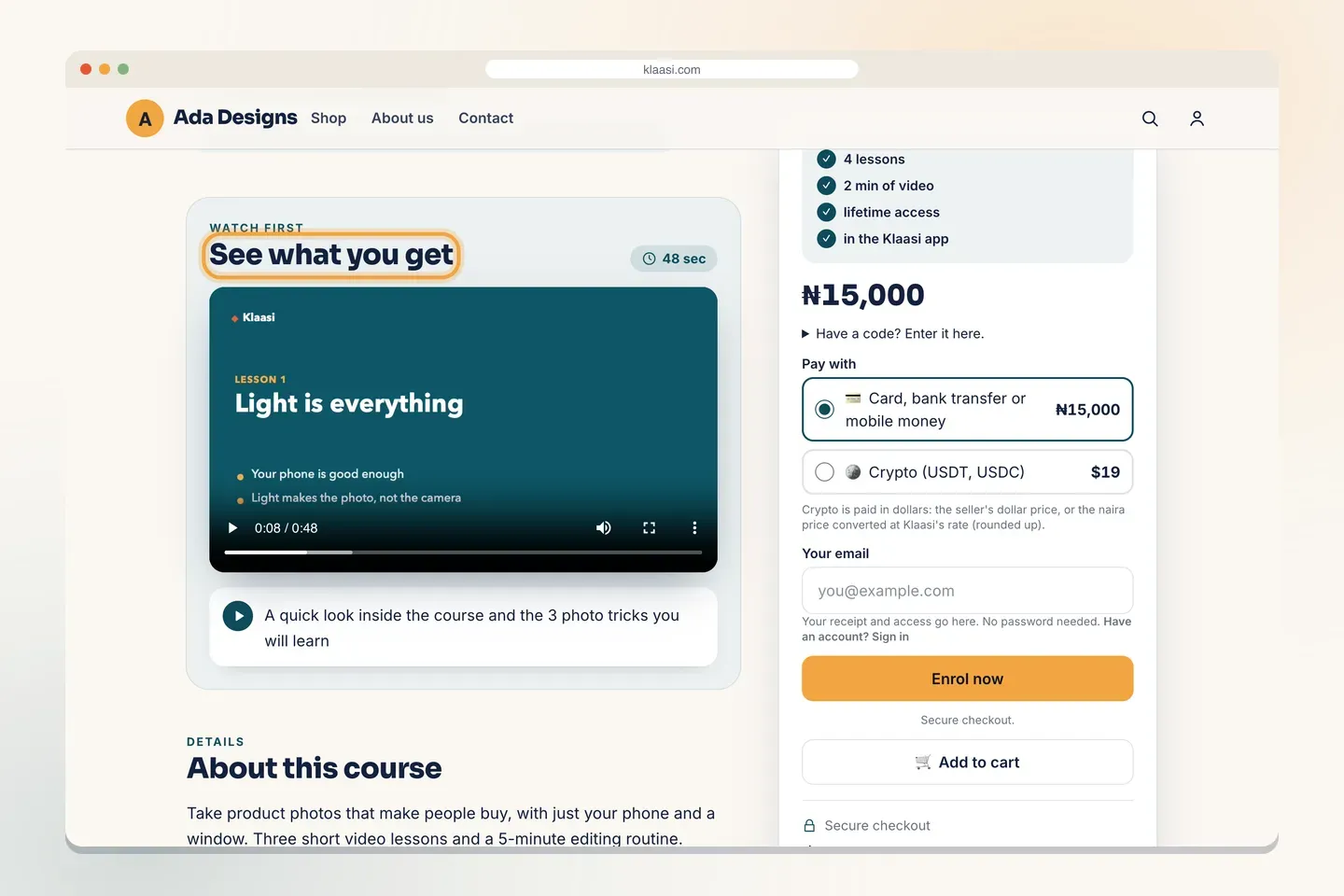
On a computer, the card sits next to the buy box, so people can watch and pay without scrolling around.
For goods in a store, the video appears under the photos on the item page as See it in a video, with a Watch the video button.
Uploads keep their own shape (wide or tall). TikTok, Reels and Shorts play in a tall phone shape, the way people are used to watching them.
What to say in a great intro
You don't need a studio. A phone on a stack of books by a window works. Try this simple plan:
- Hello and who it's for (10 seconds): "Hi, I'm Ada. If you sell on Instagram and your photos look dull, this is for you."
- What's inside (30–60 seconds): show the lessons, the pages or the templates on screen.
- One quick win (30 seconds): teach one tip so they feel the value.
- What to do next (10 seconds): "Tap Enrol now and start lesson 1 today."
More tips:
- Talk to one person, like a friend on a video call.
- Show, don't just tell. Screen recordings of what's inside work very well.
- Add captions. Many people watch with the sound off.
- Keep it under 3 minutes. You can always say more inside the product.
What to do next
- Make the rest of the page work just as hard: How to design your product page.
- Building a course? See How to create and sell a course on Klaasi.
- Bring more people to the page: How to grow sales on Klaasi.
Start selling on Klaasi, free
Your shop, courses, live classes and community in one place. Buyers pay in naira or dollars.
Open my free shopKeep reading
How to use the Klaasi developer API, webhooks and AI tools (MCP)
Connect your shop to your own website, Zapier, Make or an AI assistant. Create an API key, pick its permissions, receive signed webhooks for every sale and check them safely.
How to handle refunds and support as a seller on Klaasi
Klaasi has one refund policy for every shop. Buyers message Support, you reply with your side, and Klaasi decides using real evidence. Here's how it works and how to answer a refund request.
How to add team members to your Klaasi shop (and what each role can do)
Invite a helper by email and give them the right role: Editor, Support or Finance. Each role sees only what it needs, and only you can move money. Here's how.