How to pay on Klaasi from any country: naira, dollars, mobile money and crypto
Klaasi shows prices in naira in Nigeria and in US dollars everywhere else, and you can pay by card, bank transfer, mobile money or crypto. Here's what you'll see and how to pay where you live.
Klaasi sellers have buyers all over the world: Lagos, Accra, Nairobi, London, Houston. Whoever you are and wherever you live, you should see a price you understand and a way to pay that works for you.
This guide explains which currency you'll see and why, which payment methods you can use in your country, how crypto works, how to use a coupon or pay in parts, and what to do if a payment goes wrong.
The short version
- In Nigeria you see prices in naira (₦).
- Everywhere else you see prices in US dollars ($).
- You can pay by card, bank transfer or mobile money, and on many products by crypto (USDT, USDC).
- You pay on a secure checkout page. The seller never sees your card details.
Why the price is in naira or dollars
Klaasi looks at where you're visiting from and shows the price in the right money for you. You don't need to switch anything, and there's no currency button to find.
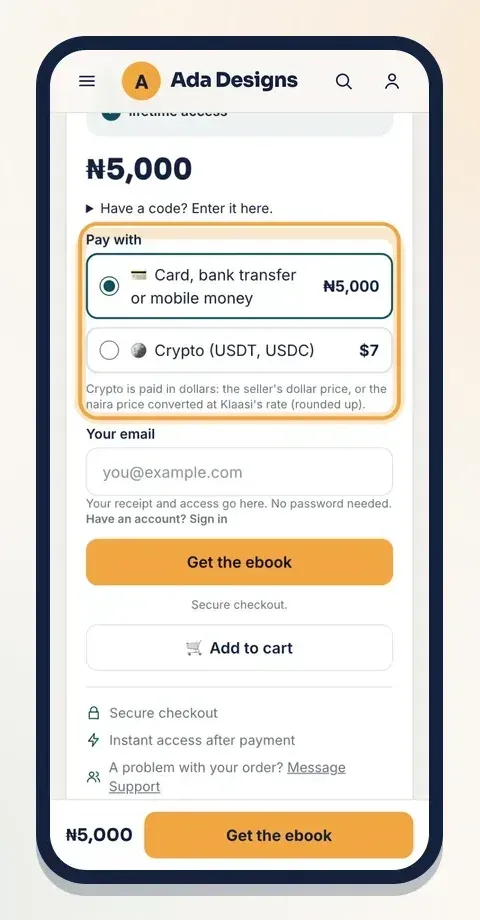
Sellers set one price, either in naira or in dollars. Klaasi works out the other one for them at its current exchange rate, rounded up to a neat number. That's why the same ebook can show ₦5,000 to a buyer in Lagos and a dollar price to a buyer in Accra or New York.
Here's the same ebook as a buyer in Nigeria sees it:
And here it is for a buyer in Ghana, who sees US dollars:
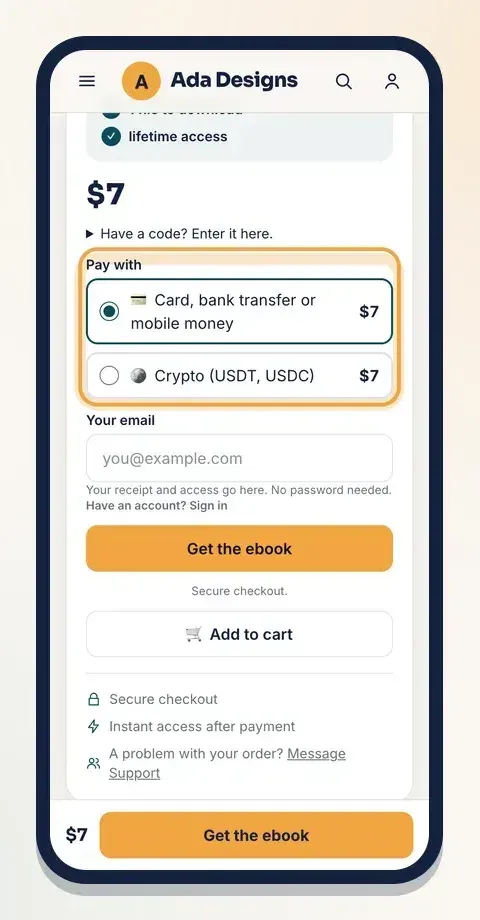
The price on the button is the price you pay. If a seller adds a service fee, the page says so under the price, for example "Includes a service fee of …", before you pay.
Paying from Nigeria
Buyers in Nigeria pay the naira price. Under Pay with, choose Card, bank transfer or mobile money, then tap the main button. On the secure checkout page you can:
- Pay with your bank card.
- Pay by bank transfer from your bank account.
- Use any other option the checkout shows you.
If you prefer, you can also pay by crypto (see below).
Paying from Ghana, Kenya, Tanzania, Uganda and other mobile money countries
If you're in a mobile money country, you see the price in US dollars, and you can pay with mobile money in your own currency or with any card. For example:
- Ghana: MTN MoMo, Telecel Cash or AirtelTigo Money, in cedis.
- Kenya: M-Pesa or Airtel Money, in Kenyan shillings.
- Tanzania: M-Pesa, Tigo Pesa or Airtel Money, in Tanzanian shillings.
- Uganda: MTN MoMo or Airtel Money, in Ugandan shillings.
Mobile money also works in Rwanda, Zambia, Malawi and many CFA franc countries in West and Central Africa, in your local money.
In Ghana, Kenya, Tanzania and Uganda, product pages may also show a line under the dollar price like "About GH₵ … with mobile money or bank transfer." That's a guide to what you'll pay in your own money. The exact amount shows on the checkout page, converted from the dollar price when you pay.
Paying from anywhere else
In the UK, US, Europe, Asia or anywhere else, you see the dollar price and pay by card in US dollars (Visa, Mastercard and more). Your bank turns it into your own money, so check with your bank if it charges a fee for paying in dollars.
You can also pay by crypto.
Paying with crypto (USDT, USDC)
When crypto is available, the Pay with box has a second choice: Crypto (USDT, USDC). It shows the amount in dollars beside it.
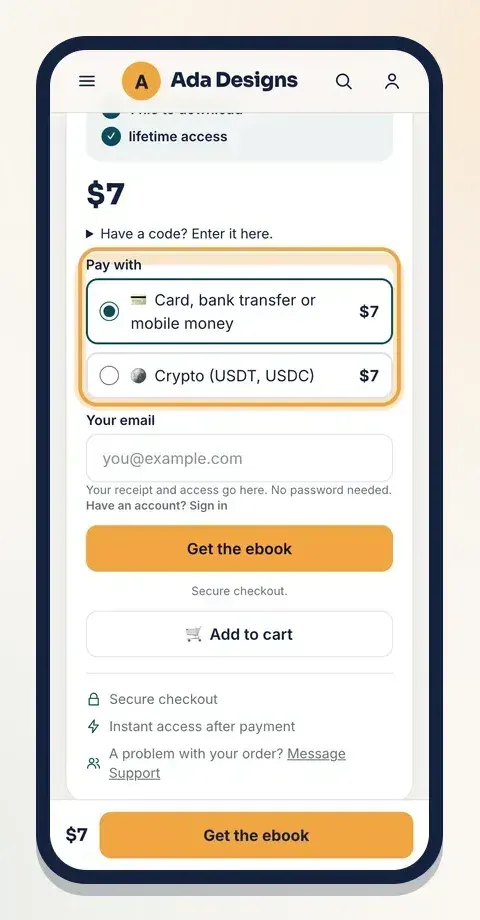
Crypto is always paid in dollars:
- If the seller set a dollar price, you pay that.
- If the seller set a naira price, it's converted to dollars at Klaasi's rate, rounded up. Buyers in Nigeria see a note about this under the choice.
Choose Crypto, tap the main button, and follow the checkout. Send exactly the amount shown, on the network the checkout tells you. Sending the wrong coin or using the wrong network can mean the money can't be matched to your order.
Step by step: buying with your email
You don't need an account to buy.
- Choose how to pay under Pay with.
- Type your email in Your email. Your receipt and access go there. No password needed.
- Tap the main button (Buy now, or words that fit the product, like Get the ebook).
- Pay on the secure checkout page.
- You come back to a thank-you page. Tap Open it now.
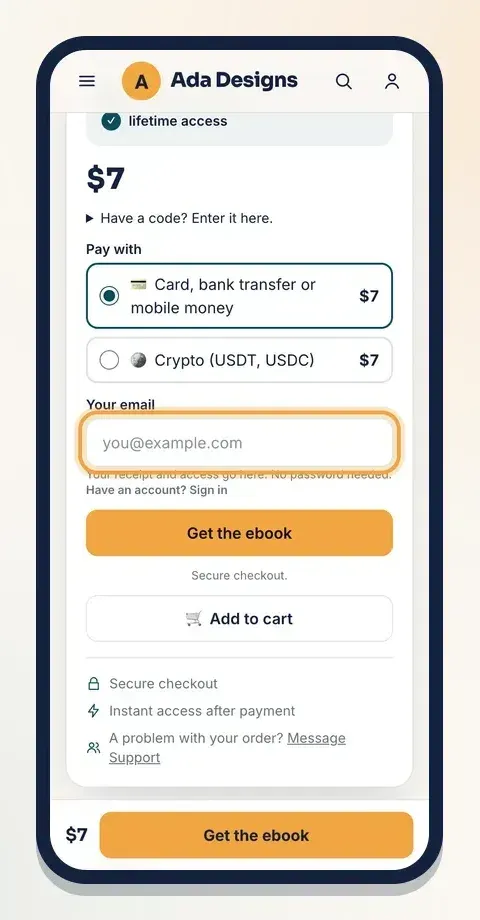
The full walk-through, including your library, is in how to buy on Klaasi and find your library.
Using a coupon code
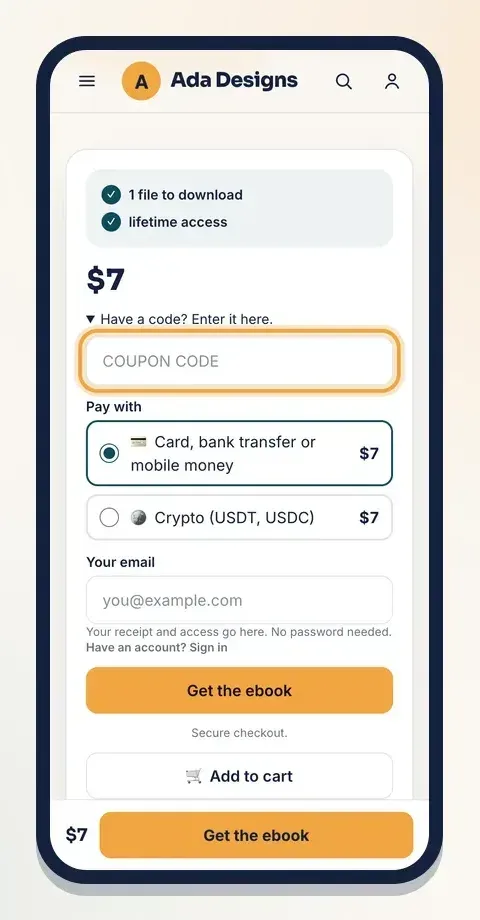
Got a code from the seller or from a partner? Before paying, tap Have a code? Enter it here. and type it in. The discount is applied when you pay. A coupon may only work in one currency or for a limited time; if it doesn't work, the page tells you.
Paying in parts
Some sellers let you split a bigger purchase, like a course or live class, into parts. If it's offered, you'll see How do you want to pay? with Pay in full and Pay in 3 parts (or another number). It shows what you pay today and how much each later part is.
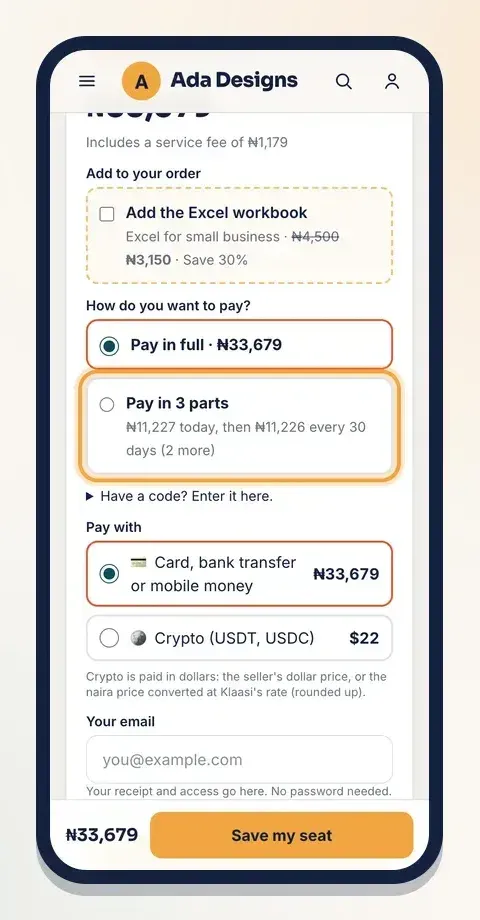
You get access after the first part. Pay the later parts on time: if a part is more than 3 days late, access pauses until it's paid. A cart of several items is paid in full.
Is it safe?
- You pay on a secure checkout page run by Klaasi's payment partner.
- The seller never sees your card number or bank login.
- Your receipt is emailed to you, and everything you buy appears in My library.
If something goes wrong
- Payment failed? The page tells you and lets you try again, or you can pick another method.
- Paid twice by mistake? Message Support. Paying twice for the same thing is one of the cases Klaasi helps with.
- Money taken but no access? Sign in with the email you used and open Library. Still missing? Message Support with the order.
Every product page has a line in the buy box: A problem with your order? Message Support.
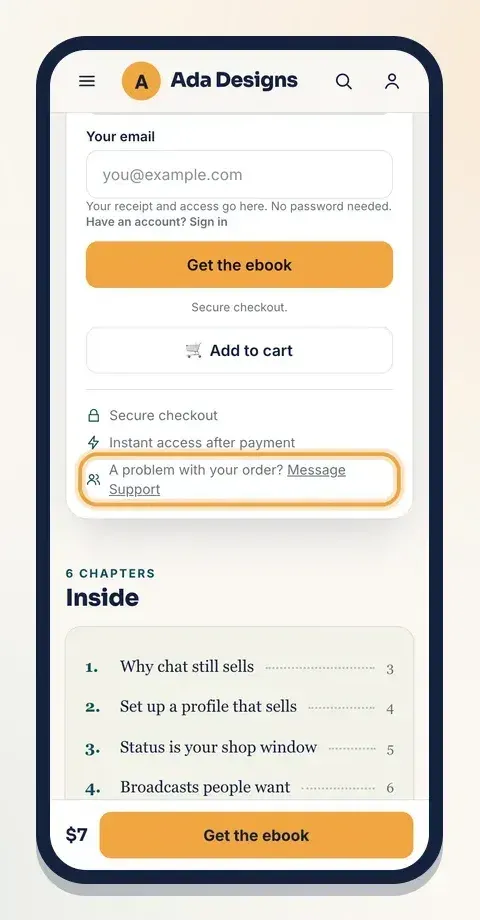
Tell Support within 7 days of buying. If a refund is approved, card and mobile money payments go back the way you paid, and bank transfers are sent back to your bank account. Please message Support before opening a dispute with your bank.
What to do next
Start selling on Klaasi, free
Your shop, courses, live classes and community in one place. Buyers pay in naira or dollars.
Open my free shopKeep reading
How to use the Klaasi developer API, webhooks and AI tools (MCP)
Connect your shop to your own website, Zapier, Make or an AI assistant. Create an API key, pick its permissions, receive signed webhooks for every sale and check them safely.
How to handle refunds and support as a seller on Klaasi
Klaasi has one refund policy for every shop. Buyers message Support, you reply with your side, and Klaasi decides using real evidence. Here's how it works and how to answer a refund request.
How to add team members to your Klaasi shop (and what each role can do)
Invite a helper by email and give them the right role: Editor, Support or Finance. Each role sees only what it needs, and only you can move money. Here's how.