How to track sales on Klaasi with analytics, ad pixels and A/B tests
See what you earned, how many people visited, where they came from and which product sells best. Then measure your ads with pixels and test a second headline.
Guessing is expensive. If you spend money on ads, post on five apps and rewrite your product page every week, you need to know what actually brings buyers.
Klaasi gives you three tools for this:
- Analytics: your sales, visitors, conversion and where visitors come from, on one page.
- Tracking pixels: connect your Meta (Facebook and Instagram), Google or TikTok ads, so the ad apps can see who bought.
- A/B tests: show half your visitors a different headline and description, and keep the one that sells more.
By the end of this guide you'll know where each one lives, what every number means and how to use them to sell more.
Part 1: Your Analytics page
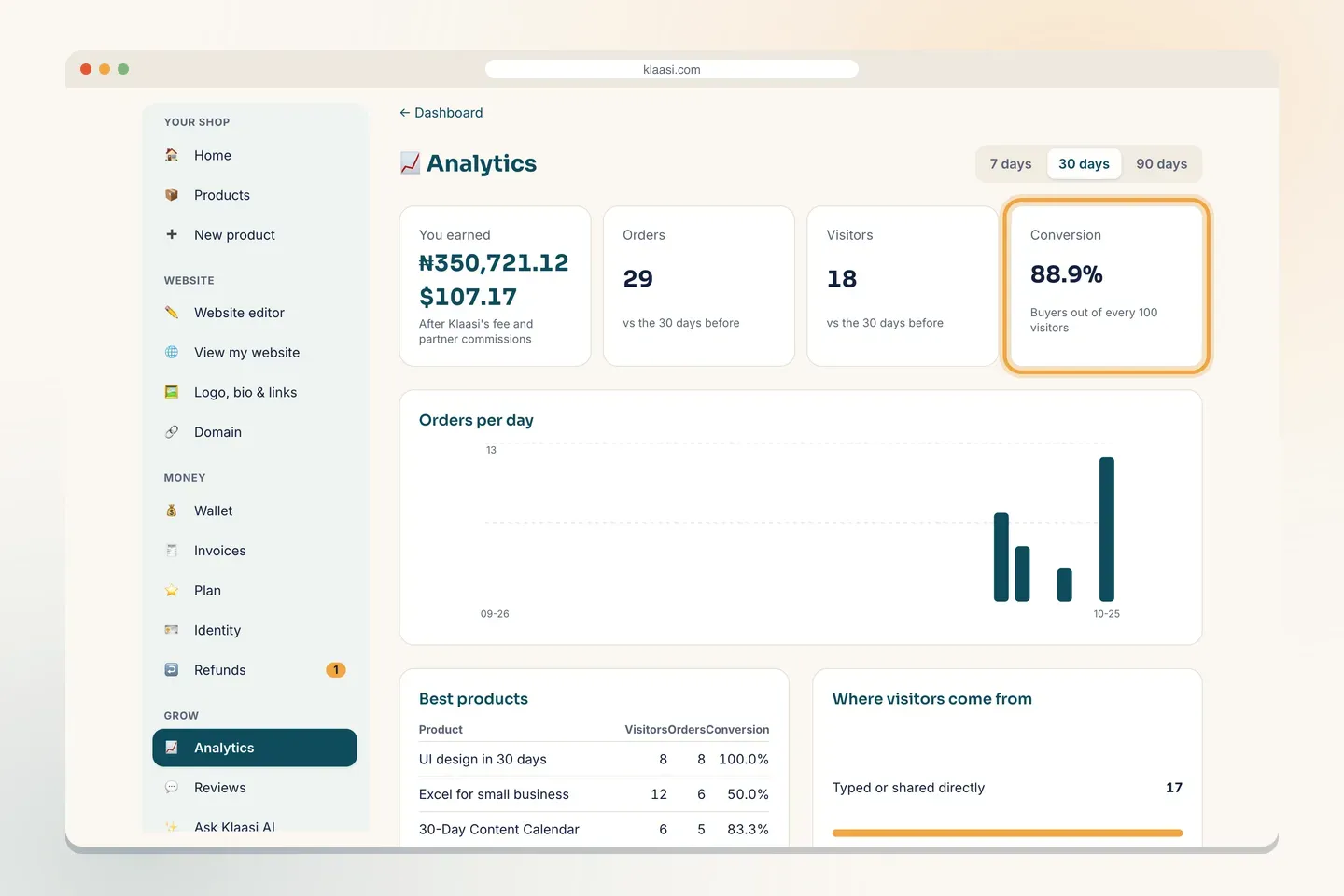
Analytics is on every plan. In your dashboard menu, under Grow, tap Analytics.
Pick a time range
At the top right you can switch between 7 days, 30 days and 90 days. Every number on the page changes to match. Most numbers also show how they changed vs the days before (for example, the 30 days before this 30 days), so you can see if you're growing.
The four main numbers
- You earned: your money after Klaasi's fee and partner commissions. This is what you really keep.
- Orders: how many paid orders you got.
- Visitors: how many different people opened your shop and product pages.
- Conversion: buyers out of every 100 visitors. If 200 people visited and 4 bought, your conversion is 2%.
Conversion is the number to watch. More visitors with the same conversion means more sales. A better page with the same visitors also means more sales.
Orders per day
The chart shows your orders for each day in the range. Look for the days that jump: what did you post that day? Do more of that.
Best products
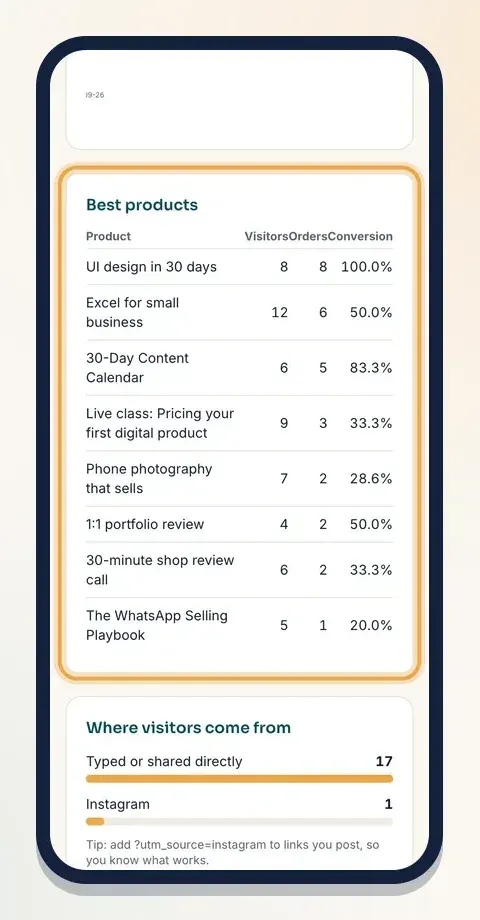
The Best products table lists each product with its Visitors, Orders and Conversion.
Read it like this:
- Many visitors, few orders: people are interested but something stops them. Try a clearer headline, an intro video, or a lower price.
- Few visitors, good conversion: the page works. Send more people to it.
Where visitors come from
This box shows where your visitors came from, with a bar for each place: for example Instagram, Klaasi itself, or Typed or shared directly (people who typed your link or opened it from a chat app that doesn't say where it came from).
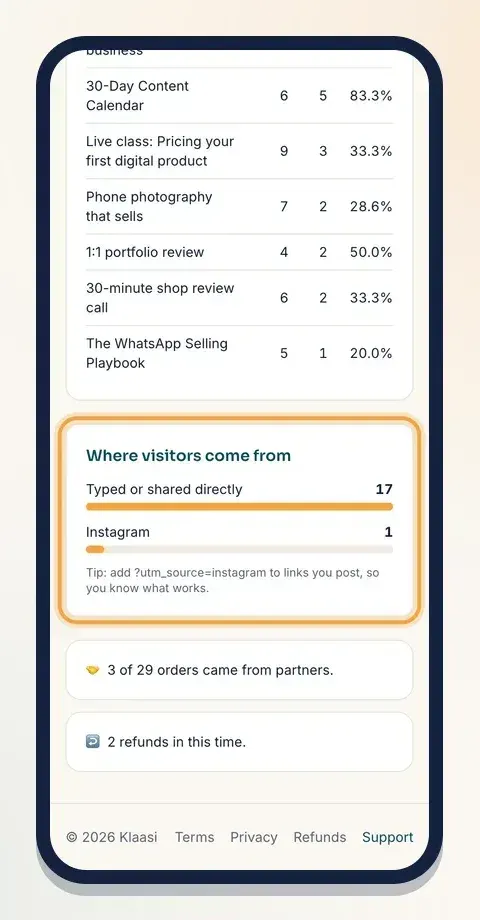
Tip from the page: add ?utm_source=instagram to the end of links you post. For example: klaasi.com/yourname/your-product?utm_source=instagram. Use a different word for each place (tiktok, whatsapp, newsletter) and this box tells you which one works.
At the bottom you'll also see how many orders came from partners (affiliates) and how many refunds you had in the same time.
Part 2: Tracking pixels for your ads
If you run ads on Facebook, Instagram, Google or TikTok, the ad app needs to know who bought, so it can show your ads to more people like them. That's what a pixel does.
Pixels are on every plan. Only the shop owner can add them.
Step 1: Get your pixel ID
In your ad account, find your pixel or tag ID:
- Meta Pixel (Facebook, Instagram): a number like 123456789012345.
- Google Analytics / Tag Manager: starts with G- or GTM-, like G-ABC123XYZ.
- TikTok Pixel: letters and numbers like C4ABCDEFGHIJ1234567.
Step 2: Paste it into Klaasi
- In your dashboard menu, open More tools and tap Integrations.
- Scroll to Tracking pixels.
- Paste your ID in the right box and tap Save next to it.
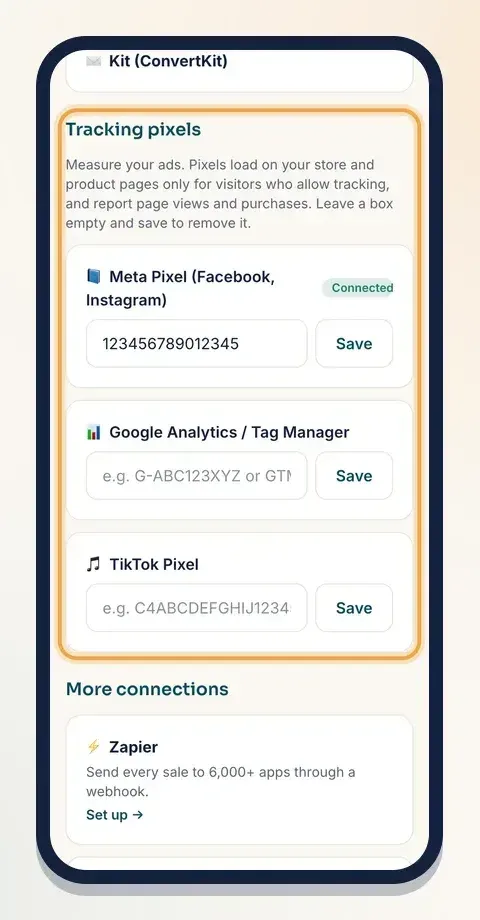
To remove a pixel, clear its box and tap Save.
Step 3: Visitors choose
Klaasi asks your visitors before any pixel loads. On your product pages they see a small note: your shop uses cookies to measure its ads, Allow them?, with Allow and No thanks.
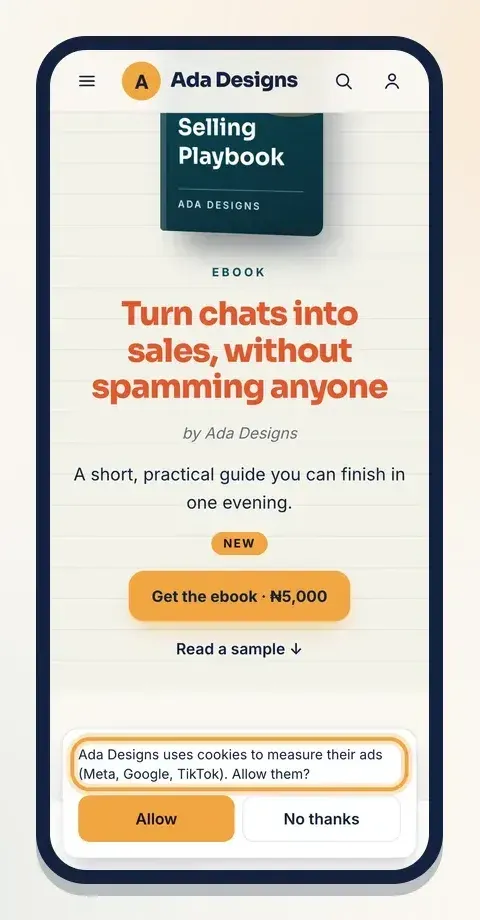
Pixels load only for visitors who tap Allow. They report page views and purchases on your store and product pages. Visitors who say no can still buy as normal; they just aren't counted by the ad app.
Because some visitors say no, your ad app may show fewer sales than your Klaasi Analytics page. Your Klaasi Analytics page counts every order.
Part 3: A/B test your headline (Business)
An A/B test answers one question: which words sell better? You write a second headline and description. Half your visitors see the one you have now (Version A), and half see the new one (Version B). Klaasi counts who buys from each.
A/B tests are part of the Business plan. On other plans the box says A/B tests are part of Business.
Step 1: Start a test
- Open the product's Selling tools (Dashboard → Products → Selling tools).
- Scroll to A/B test.
- Under Version B headline, write your new headline.
- Under Version B description, change the description. It starts as a copy of your current one, so you can change just one part.
- Tap Start test.
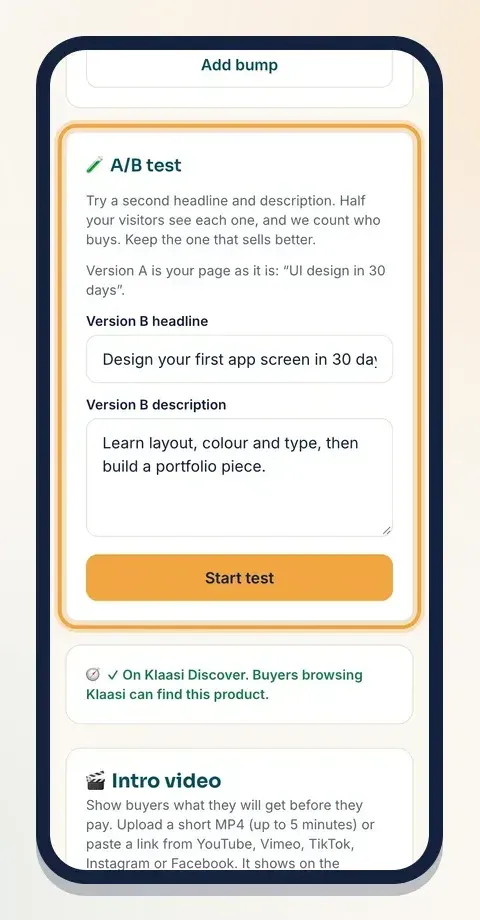
You'll see Test started. Visitors now see A or B.
Each visitor always sees the same version, even if they come back later, so nobody gets confused. While a test is running you can't rename the product; finish the test first.
Step 2: Read the results
The A/B box now shows both versions side by side, each with its visitors, sales and the % who bought.
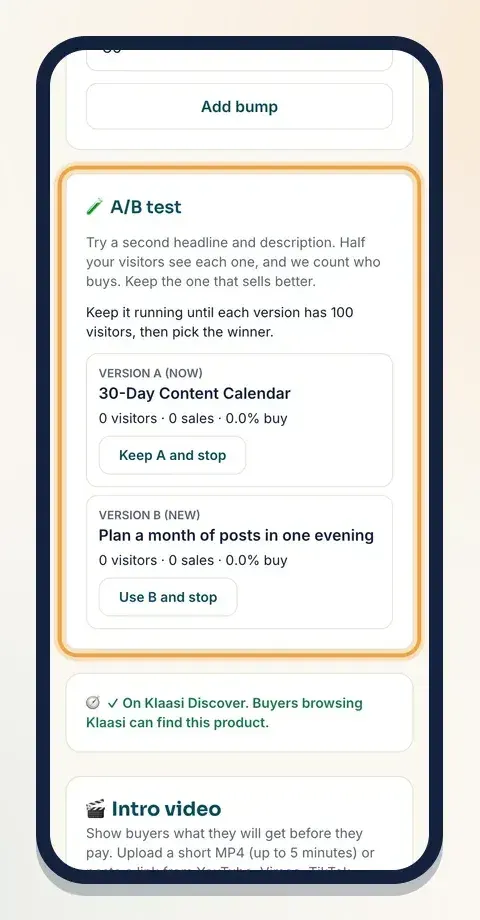
Give it time. The box says Keep it running until each version has 100 visitors, then pick the winner. Once both have enough visitors, Klaasi tells you which one is selling better so far and marks it.
Step 3: Pick the winner
- Keep A and stop: your page stays as it was.
- Use B and stop: Version B becomes your page's headline and description for everyone.
Then start a new test with your next idea. Small wins add up.
A simple weekly habit
- Monday: open Analytics on 7 days. Note your visitors and conversion.
- Check Where visitors come from. Post more where buyers come from.
- Look at Best products. Fix the page with many visitors and few orders.
- On Business, keep one A/B test running on your best-selling product.
What to do next
- Get more visitors to your pages: How to grow sales on Klaasi
- Improve the page people land on: How to design your product page
- Bring back people who didn't finish paying: How to send email sequences and abandoned-cart emails
Start selling on Klaasi, free
Your shop, courses, live classes and community in one place. Buyers pay in naira or dollars.
Open my free shopKeep reading
How to use the Klaasi developer API, webhooks and AI tools (MCP)
Connect your shop to your own website, Zapier, Make or an AI assistant. Create an API key, pick its permissions, receive signed webhooks for every sale and check them safely.
How to handle refunds and support as a seller on Klaasi
Klaasi has one refund policy for every shop. Buyers message Support, you reply with your side, and Klaasi decides using real evidence. Here's how it works and how to answer a refund request.
How to add team members to your Klaasi shop (and what each role can do)
Invite a helper by email and give them the right role: Editor, Support or Finance. Each role sees only what it needs, and only you can move money. Here's how.